
 Tax operations for Canadian finance teams
Know who owns every company
Shareholders, share classes, and ownership percentages for each entity, read from your documents.
Tax operations for Canadian finance teams
Tax sits with your finance team. Keep every entity, filing, payment, CRA document, and tax balance in one place, while your external advisors handle the technical work.
The system you have now
Your accountant prepares the returns. As controller or finance lead, you still coordinate deadlines, payments, CRA notices, and the documents they need. Give that work a home beyond Outlook, SharePoint, and last year’s tax folder.
Scattered information
Filing control
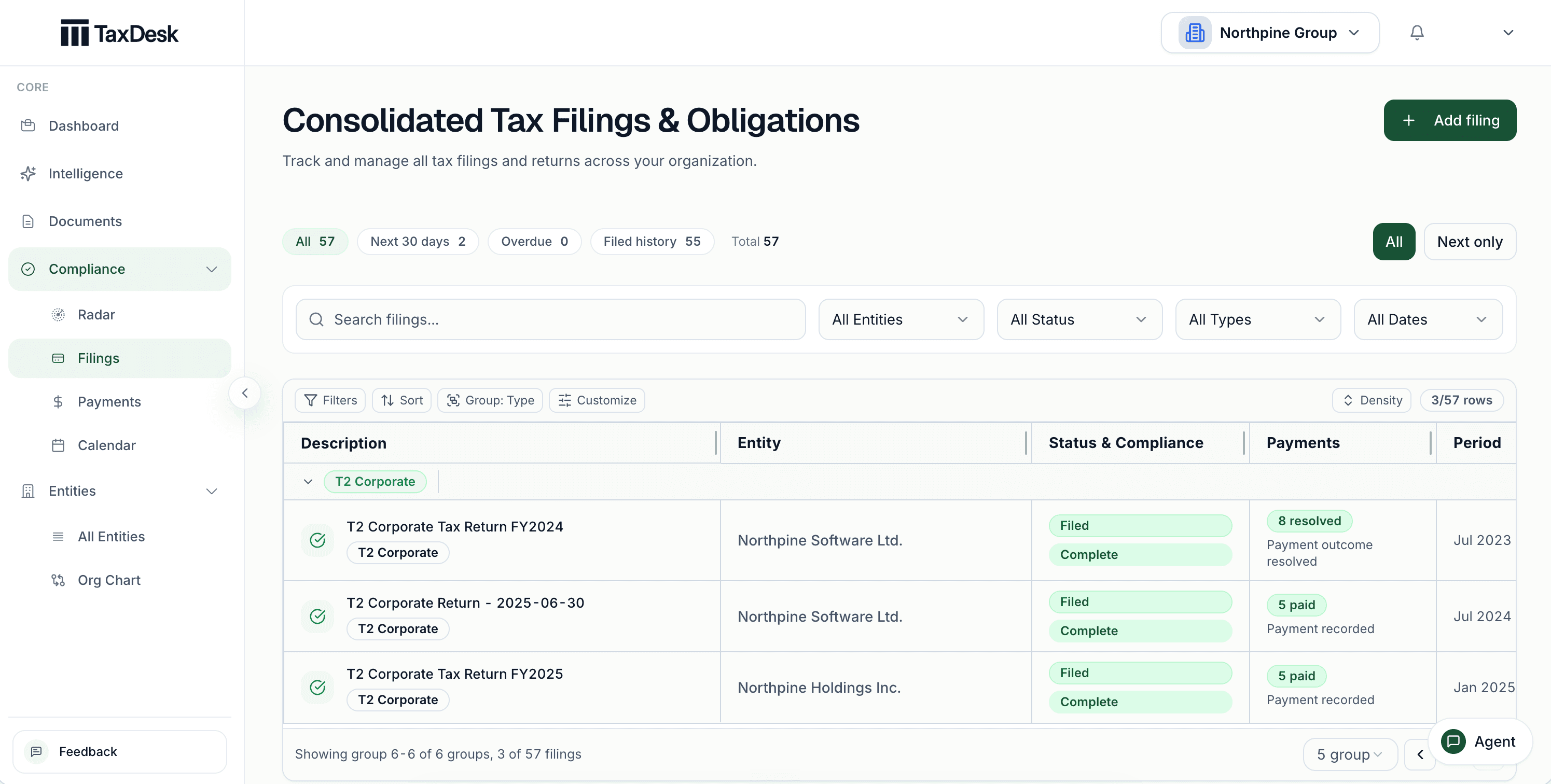
Record each company’s tax programs and filing schedule. TaxDesk then creates a clear list of filings and payments. Each item includes its due date, status, history, and supporting documents.
Documents
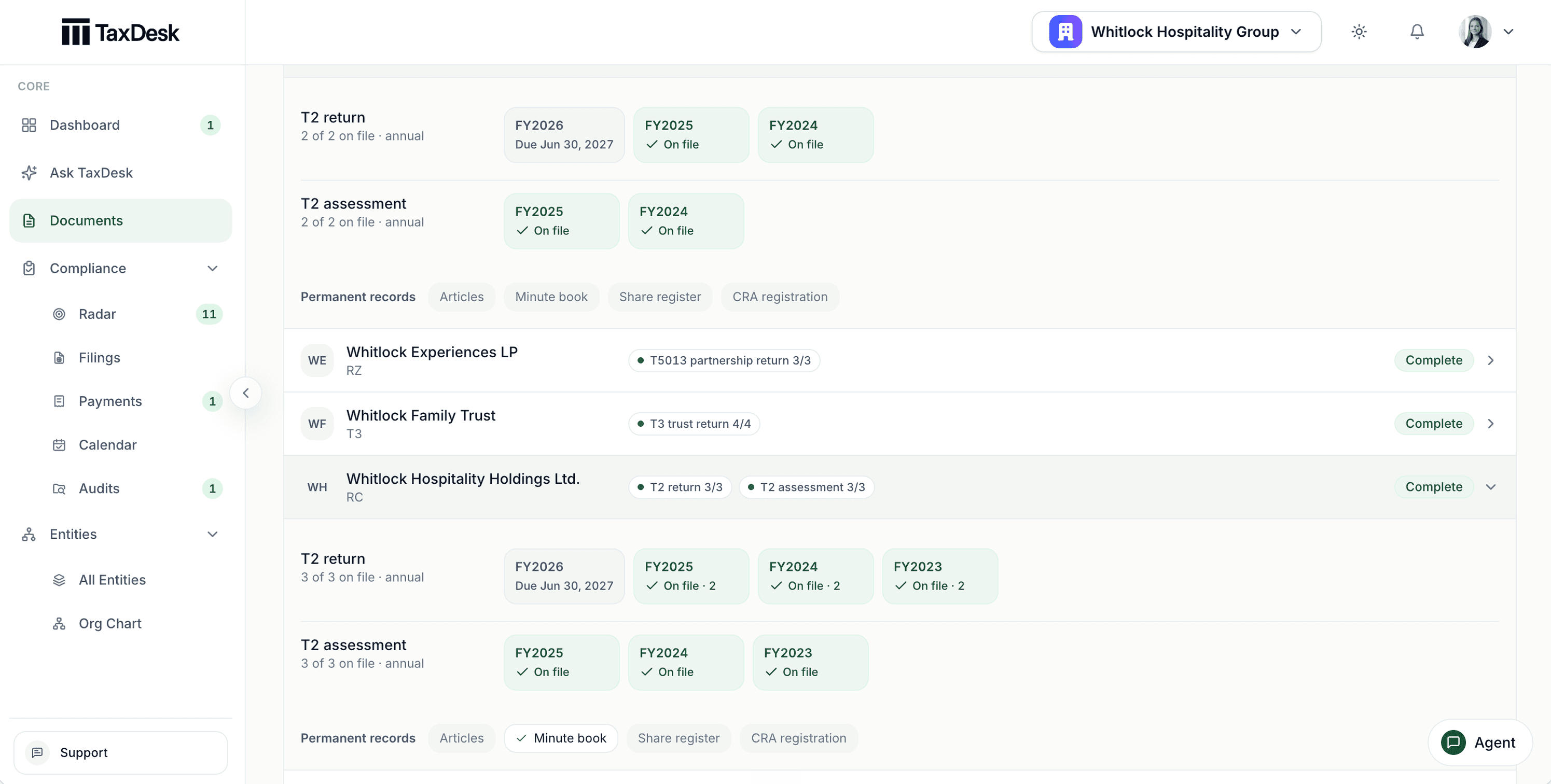
Upload returns, financial statements, CRA notices, agreements, and working papers. TaxDesk reads each one and links every fact to the page it came from. When a document disagrees with your records, your team decides.
TaxDesk Agent
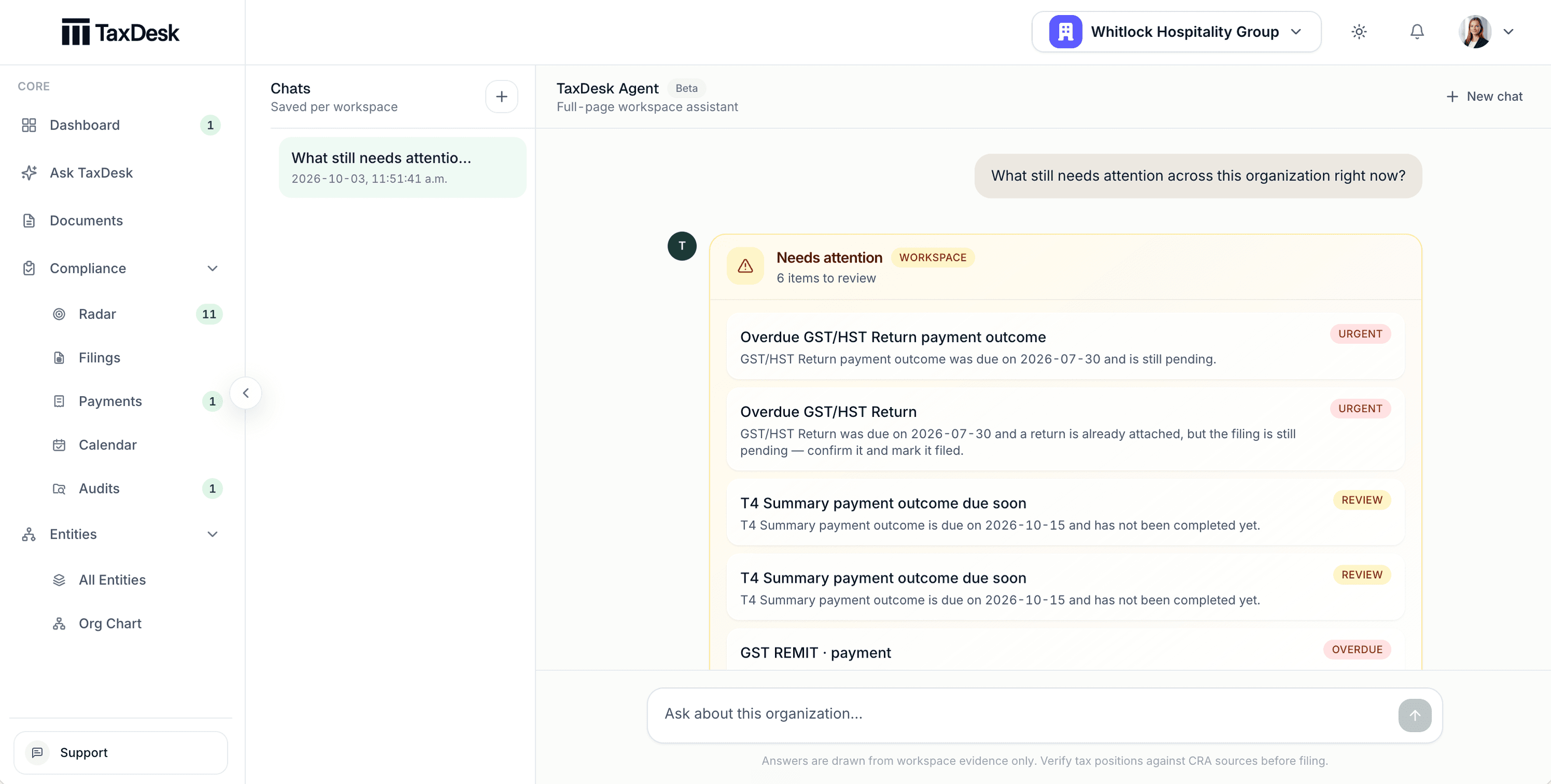
Ask the TaxDesk Agent what needs attention across the group. It answers from your workspace records, and Compliance Radar keeps the overdue and upcoming work ordered by urgency.
Inside the workspace
Shareholders, share classes, and ownership percentages for each entity, read from your documents.
One calendar across every company and tax program, from corporate tax to payroll.
Each balance carries its as-of date, so your advisor starts from confirmed numbers.
Returns, CRA notices, and agreements sit with the entity and tax year they belong to.
Illustrative examples with sample data.
Why TaxDesk
Keep companies, filings, documents, and important tax details together in one workspace.
When a document disagrees with your records, nothing changes without review.
TaxDesk keeps your organization’s records separate from other customers’ records.
Why TaxDesk
Entities, ownership, tax programs, and balances live together instead of across folders and inboxes.
Each value links back to the document page it was read from.
TaxDesk proposes changes. Nothing is applied without review, and every change is logged and reversible.
Invite your CPA and tax counsel to work from the same dated, sourced history.
AI agents
Connect your assistant to TaxDesk. It can read the live workspace and keep it up to date: filings, payments, tax balances, and CRA reviews. TaxDesk remains the record, with the source documents and a history of every change.
Illustrative example · sample workspace data
Who TaxDesk is for
For controllers, Directors of Finance, VPs of Finance, and CFOs coordinating tax across several Canadian entities. Own the record and keep your existing CPA and tax counsel.
TaxDesk for finance teamsGive each client group the same structure. Work across only the client workspaces your firm can access.
TaxDesk for CPA firmsTaxDesk resource library
Not sure TaxDesk fits?Ask the assistant you already use to read our pages and give you a candid answer.
If the prompt does not appear in your assistant, paste it from your clipboard. Gemini opens a new chat for you to paste it into.
Help me decide whether TaxDesk fits my work. Read https://www.taxdesk.ca/, https://www.taxdesk.ca/features, https://www.taxdesk.ca/pricing and https://www.taxdesk.ca/llms.txt directly rather than relying on search snippets or memory; if you can't open them, tell me. Then, based on what you already know about me and my work, give me a candid read: where TaxDesk would help, where it wouldn't, and what I should verify before deciding. Ask me only what you don't already know and genuinely need, in at most three short questions. Cite the page behind each product claim and say when something is unknown. You can't see my private TaxDesk workspace or tax records.


