
Every company is its own taxpayer.
Each property company files its own T2 and keeps its own UCC pools by class. Those balances don’t roll up, and they don’t move with a property unless someone records the transfer.
Corporate tax obligationsReal estate groups
Every building has its own company, and every company has its own tax work. TaxDesk keeps each one’s returns, CCA, losses, CRA notices, and ownership in one place, and shows your team the whole portfolio at once.
A typical property group

Sound familiar?
Without a shared recordThree years of returns, CRA notices, and CCA workings are spread across inboxes and your accountant’s portal.
In TaxDeskOpen the company. Its returns, notices, and CCA history are there, each tied to the year it belongs to.
Without a shared recordThe seller’s returns and UCC balances arrive as a folder of PDFs. Someone retypes the numbers, or nobody does.
In TaxDeskUpload the folder. TaxDesk reads it and brings in the balances, dates, and owners it finds, each next to the page it came from. You review the suggestions, and anything that conflicts with your records waits for approval.
Without a shared recordRecapture, terminal loss, and rollovers all depend on UCC by class and cost history that predates your current team.
In TaxDeskUCC by class, loss pools, and ownership history are already on the company, with the documents behind them. Your accountant can start right away.
Why it gets complicated
Holding each property in its own corporation is a sound way to contain risk and financing. It also multiplies the tax work by every company you add.
Each property company files its own T2 and keeps its own UCC pools by class. Those balances don’t roll up, and they don’t move with a property unless someone records the transfer.
Corporate tax obligationsAn LP can file its own T5013 information return, and the companies that hold its units report their share. Both sides need to be on record, along with who the partners were.
Entity types and their obligationsSome property companies hold GST/HST and payroll accounts and some don’t. Registrations and filing frequencies can differ across the group, so each belongs on its own record.
GST/HST operating guideInterest is often the biggest expense in a leveraged portfolio, and the EIFEL rules can limit interest deductions for some groups. Whether they apply to you is a question for your accountant.
EIFEL calculatorThis is general information, not tax or legal advice. Ask your accountant how these rules apply to your group.
Inside TaxDesk · Ownership
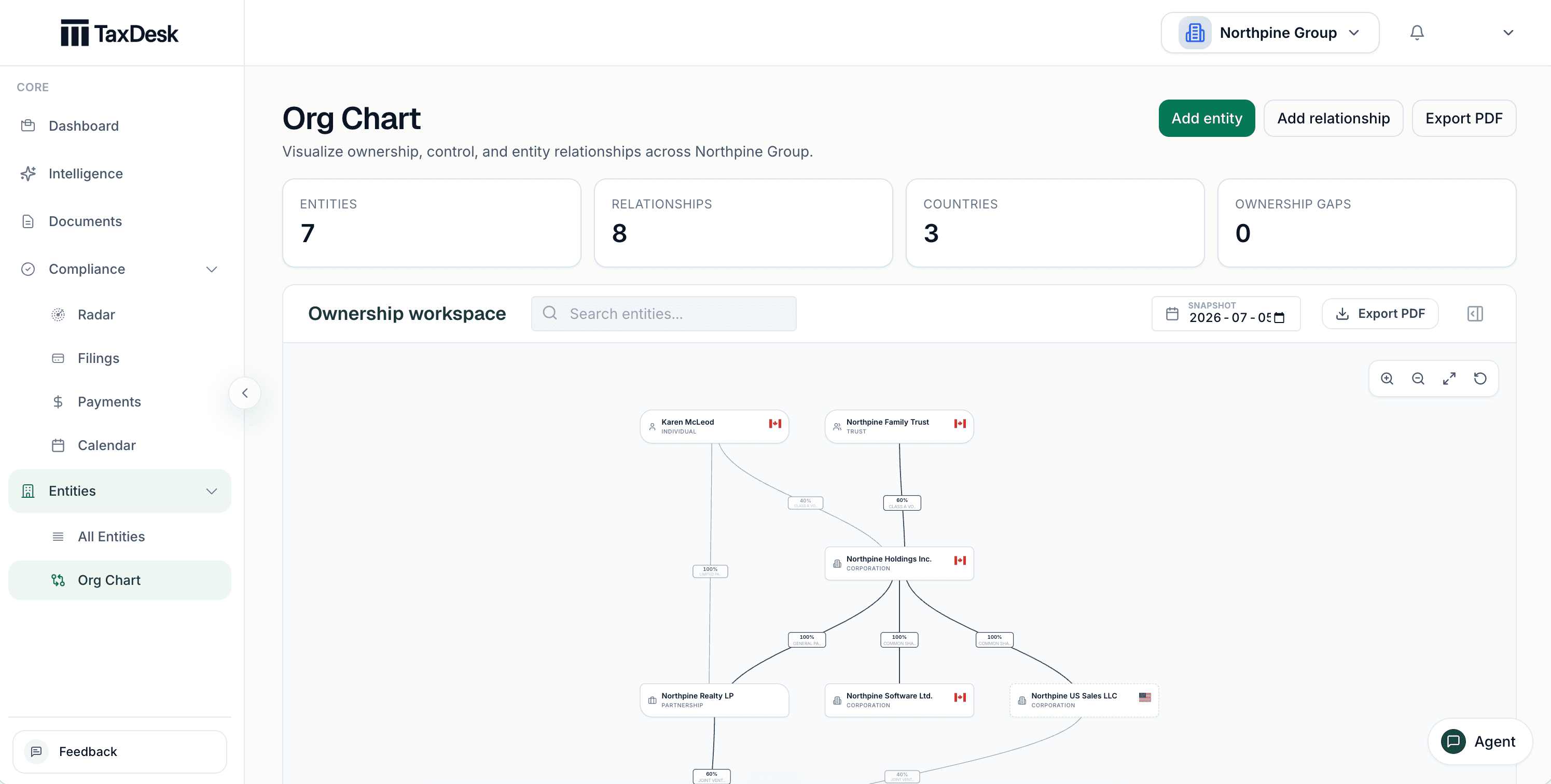
The ownership chart shows people, trusts, corporations, and partnerships with their percentages. See it as of any date, and export it as a PDF for a lender or a buyer.
A property’s life
A property company gets different questions when it buys, holds, refinances, and sells. The record should already have the answers.
A company is formed or bought.
The company files and pays each year.
A lender asks for the file.
The property or company changes hands.
Inside TaxDesk · Companies
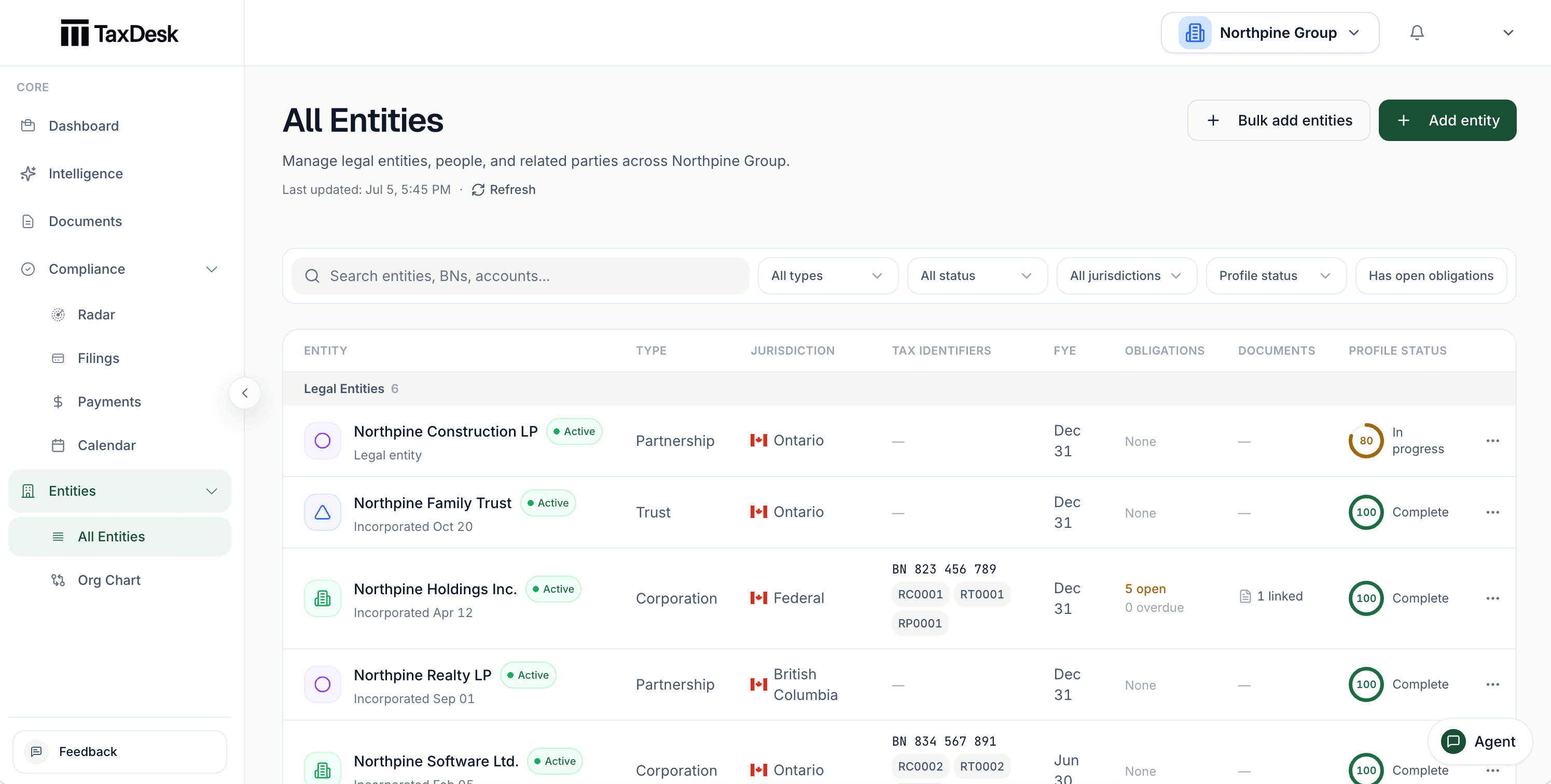
Each company shows its business number, CRA accounts, year-end, open work, and linked documents, so gaps show up before a lender or buyer finds them.
What’s in the record
TaxDesk connects your companies through ownership, but each corporation and partnership keeps its own returns, balances, and documents. Start with the portfolio, then open the exact notice, filing, or document behind any item.
Who does what
YouYou or your accountant prepare and file the way you do today.
TaxDeskTaxDesk records the status, dates, and documents behind each filing.
YouYou enter each company’s CRA accounts and filing settings.
TaxDeskTaxDesk turns them into due dates. It doesn’t connect to CRA.
YouYou decide when a document disagrees with the record.
TaxDeskTaxDesk links each fact to its source. A fact that conflicts with your records waits for your approval.
Who it is for
TaxDesk works best when a group has several related companies and wants to own its tax record. It doesn’t replace property management, bookkeeping, or tax-preparation software.
Free tools and guides
Calculators and guides for groups like yours. They’re planning aids, not tax advice.
Common questions
Give each corporation, partnership, Holdco, and management company its own record, then connect them through ownership. Each record holds that company’s CRA accounts, filings, payments, notices, balances, and documents. One view shows the work across all of them.
Yes. Schedule 8 UCC and CCA details sit on the company that owns the property, next to the return and document they came from. Your accountant still calculates the numbers and files the return.
Yes. Upload its returns, CRA notices, and agreements. TaxDesk brings in the balances, dates, and owners it finds, each next to its source. Anything that conflicts with your records waits for someone on your team to approve it.
No. TaxDesk keeps the tax record for the companies that own and run the properties. It doesn’t manage leases, tenants, maintenance, or property accounting.
Yes. Approved advisors work from the same companies, filings, documents, and history as your team. If your advisor changes, the record stays with your company.
No. Your accountant prepares and files returns the way they do today. TaxDesk doesn’t connect to CRA. It records what’s due, what was filed, and the documents behind each filing.
Request access
Tell us about your companies and the tax work you want in one place.